Quick facts
- Players
- Many players per round
- Cards / setup
- N/A — multiplier round
- Goal
- Cash out before the sequel flight ends
- Common formats
- Crash / multiplier · sequel skin
- Best for
- Players who already know Aviator and want a separate room
- Welcome offer
- ~₹47 after signup (confirm the live amount in the app)
How to play
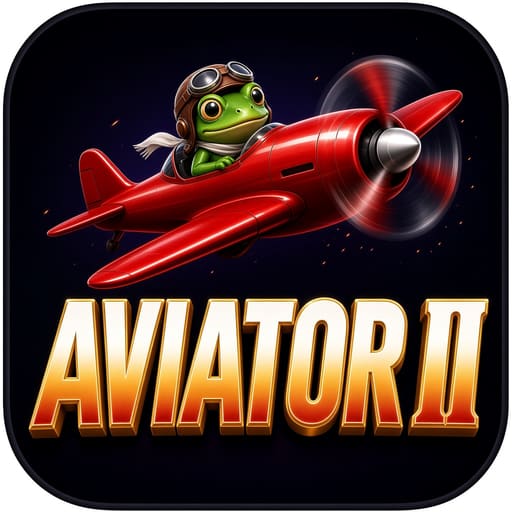
- Open the rocket / crash tab and tap Aviator II (cartoon frog-pilot plane art).
- Set a stake while betting is open.
- Watch the shared multiplier climb.
- Tap cash out to lock the current multiple.
- If the round ends first, that stake clears.
- Optional: set auto cash-out on this tile only — it does not sync from classic Aviator.
- After you cash out, wait for the next open betting window before staking again.
Example
On Aviator II you stake ₹35 and exit at 1.58x (~₹55) because this tile’s climb felt faster than classic Aviator today. Waiting for 4x on the same frog-pilot flight fails when it ends at 2.2x — that miss does not change classic Aviator’s next round.
Rules & scoring
Same crash idea as classic Aviator — separate lobby icon and round history.
No fixed safe multiplier.
Auto cash-out, if shown, only helps if the flight reaches your number.
Past ends on this room do not control the next flight.
Dual-bet panels, if shown, are two independent stakes on the same sequel flight.
Frog-pilot art is only a skin cue — it does not soften the round end.
Key terms
- Sequel room
- A second Aviator-family icon with its own history strip.
- Cash out
- Bank stake × current multiple before the end.
- Crash / end
- The flight stops; unsettled stakes lose.
- Betting window
- The short time you may place or change a stake before the flight runs.
- History strip
- Past end multiples for Aviator II only.
Variants in the app
These table names appear in Win Rummy lobbies and can change with updates. Always read the room sheet before you sit.
- Manual exitTap cash out yourself — best while learning this room’s UI speed.
- Auto cash-outPre-set a multiple if the room offers it; still not insurance.
How it compares
Pick Aviator II when you see the cartoon frog pilot — not the red propeller HOT tile (classic Aviator), not SPRIBE (Aviator Spribe), and not JetX’s yellow jet. All cash out before the end; only the lobby icon and history change.
Where to open it in the app
Rocket tab → frog-pilot / vintage plane cover labelled Aviator II. If you only see a red propeller plane, that is classic Aviator — swipe until the frog art appears.
Tips & common mistakes
Do
- Treat history on this tile as this room only.
- Keep stakes small until you learn how fast this UI climbs.
- Write an exit number before the multiplier runs.
Don’t
- Do not copy classic Aviator auto settings and assume they carry over.
- Do not raise the next bet only because the last end “looked early.”
- Do not confuse this icon with JetX or CricketX.
Payments & withdrawals
UPI channels supported in the cashier for deposit and withdrawal. What you see can vary by amount and account status.
 Paytm
Paytm PhonePe
 Google Pay
 Other UPI
Welcome rupees
Aviator II often shows about ₹47 after signup before you open the frog-pilot crash room. Use it to learn this icon’s pace — the in-app banner wins if the amount differs.
Download & install
Get Latest (v2.4.1, ~48 MB) from Telegram, then open Aviator II in the lobby. Use Previous (v2.3.0) only if Latest will not install.
After you install and register, open Aviator II inside the Win Rummy app.
FAQ
How do I know I opened Aviator II, not Aviator?
Look for the frog-pilot plane art. Red propeller alone is classic Aviator; SPRIBE text is another tile.
Same history as classic Aviator?
No. Each crash tile keeps its own strip.
Safer than Aviator?
No. Still a crash room with no fixed safe multiple.
Frog art change the rules?
Art and label change; cash-out before the end is still the rule.
Can I copy auto cash-out from classic Aviator?
No. Set it again inside Aviator II if the UI offers it.
Does a HOT badge change the rule?
No. It is a lobby highlight only.
Updated 2026-10-13