Quick facts
- Players
- Solo vs the grid
- Cards / setup
- N/A — tile grid with hidden mines
- Goal
- Reveal safes, then cash out before a mine
- Common formats
- Mine count dial · 3D skin
- Best for
- Mines players who open the 3D Mine tile
- Welcome offer
- ~₹36 after signup (confirm the live amount in the app)
How to play
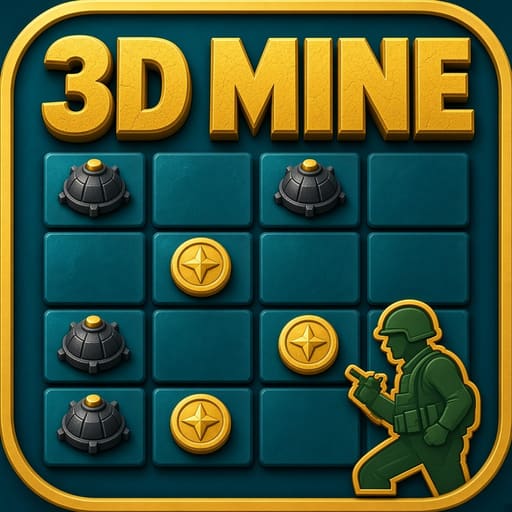
- Open 3D Mine (NEW badge / soldier + bomb art) in Multiplayer.
- Set stake and mine count.
- Tap tiles one by one.
- Cash out to bank the current value.
- Hit a mine and the stake ends.
- Compare the 3D Mine tile to classic Mines before you stake — soldier/bomb NEW art is the tell.
- After cash-out, reset mine count on purpose for the next grid; do not leave max mines on by habit.
Example
3 mines, ₹25 stake, cash out after three safes. You exit instead of a fourth tap that could have been a bomb. Session tip: play three grids at 2–3 mines before you try a denser board on 3D Mine.
Rules & scoring
Same reveal-or-bust idea as classic Mines — 3D art and label differ.
Mine count usually locks after Place Bet.
No safe corner pattern.
Auto tap, if shown, still hits mines.
3D presentation never reveals which tiles hide mines.
Changing orientation or graphics quality does not change the hidden layout mid-round.
Key terms
- 3D Mine
- Lobby tile with 3D soldier/bomb presentation.
- Safe reveal
- A clear tile that lifts the multiple.
- Cash out
- Bank before a mine.
- Mine count
- How many bombs you set before Place Bet.
- Hidden layout
- Mine positions for that stake — unknown until tapped.
How it compares
Classic Mines uses the flaming-bomb tile; Mines Jackpot is another Mines-family icon. 3D Mine is the NEW-tagged 3D art room. Towers climbs rows; Chicken Road steps a path.
Where to open it in the app
Multiplayer → 3D Mine with green NEW ribbon and soldier/bomb cover. Near Chicken Road and Mines.
Tips & common mistakes
Do
- Start with fewer mines.
- Write a reveal count before you tap.
- Cash out on that count.
Don’t
- Do not assume 3D graphics reveal mine positions.
- Do not jump to max mines to recover.
- Do not skip cash-out after a lucky streak.
Payments & withdrawals
UPI channels supported in the cashier for deposit and withdrawal. What you see can vary by amount and account status.
 Paytm
Paytm PhonePe
 Google Pay
 Other UPI
Welcome rupees
3D Mine welcome figures often sit near ₹36 after signup. Try a low mine count first with that balance; the banner amount is what counts.
Download & install
Get Latest (v2.4.1, ~48 MB) from Telegram, then open 3D Mine in the lobby. Use Previous (v2.3.0) only if Latest will not install.
After you install and register, open 3D Mine inside the Win Rummy app.
FAQ
Different from Mines?
Same habit, different lobby tile and presentation.
Does 3D show bomb locations?
No. Mines stay hidden until tapped.
Same as Mines Jackpot?
No — separate icon; read that room’s jackpot rules if shown.
Extra APK?
No.
Can I see bombs in 3D before tapping?
No. Depth art is cosmetic.
Is 3D Mine newer and safer?
NEW is a lobby badge. Safety still depends on mine count and cash-out.
Updated 2026-10-13