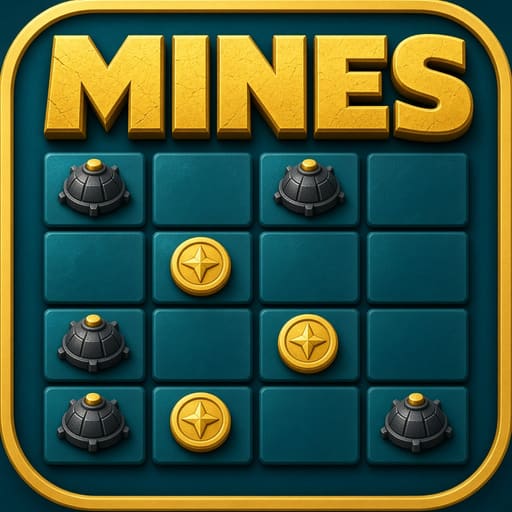
In the game
Table views so you know what Mines looks like before you install.


Quick facts
- Players
- Solo vs the grid
- Cards / setup
- N/A — tile grid
- Goal
- Collect safe reveals, then cash out before a mine
- Common formats
- Selectable mine count
- Best for
- Players who like risk dials and short rounds
- Welcome offer
- ~₹47 after signup (confirm the live amount in the app)
How to play
- Open Mines and set your stake.
- Choose how many mines sit on the grid (more mines → higher risk and usually higher multipliers).
- Reveal tiles one by one.
- Each safe tile raises the potential payout shown in the UI.
- Cash out to bank the current value.
- Hit a mine and that stake ends — there is no undo.
Example
You pick 3 mines on a standard grid and stake ₹40. After four safe reveals the UI shows a rising multiplier; you cash out instead of flipping a fifth tile. If the next tile had been a mine, the whole stake would have been lost.
Rules & scoring
Mine count is your main difficulty dial.
Grid size and payout steps follow the in-app table.
There is no pattern that guarantees a safe path.
Auto tools, if shown, still use the same mine layout rules.
Key terms
- Mine count
- How many mine tiles are hidden on the grid.
- Safe reveal
- A tile without a mine; raises potential payout.
- Cash out
- Bank the current multiplier before you hit a mine.
Variants in the app
These table names appear in Win Rummy lobbies and can change with updates. Always read the room sheet before you sit.
- Low mine countFewer mines, milder multipliers — better while you learn.
- High mine countMore mines, sharper multipliers — higher chance the next click ends the stake.
How it compares
Unlike Aviator or JetX, risk is tile-by-tile on your private grid, not one shared flight. Unlike Towers, you pick any remaining tile — not one block per climbing row. Unlike Chicken Road, there is no forward lane; the whole grid is open.
Where to open it in the app
In the lobby, open the Multiplayer (or instant-win) area and tap Mines — the bomb-and-coin grid icon. It sits near Towers and Chicken Road but is a free-pick grid, not a path or climb.
Tips & common mistakes
Do
- Start with fewer mines while you learn the pace.
- Cash out on a plan, not after a long “lucky” streak alone.
- Set a session loss limit before you raise mine count.
Don’t
- Do not assume the next corner is safe because the last four were.
- Do not jump to max mines to recover a loss in one grid.
- Do not ignore the cash-out button once you hit your target.
Payments & withdrawals
UPI channels supported in the cashier for deposit and withdrawal. What you see can vary by amount and account status.
 Paytm
Paytm PhonePe
 Google Pay
 Other UPI
Welcome rupees
For Mines, a typical welcome pocket is about ₹47 after registration. Start on a low mine count with that balance, then check the cashier if the offer updated.
Download & install
Get Latest (v2.4.1, ~48 MB) from Telegram, then open Mines in the lobby. Use Previous (v2.3.0) only if Latest will not install.
After you install and register, open Mines inside the Win Rummy app.
FAQ
How does Mines differ from Aviator or JetX?
Mines is a private tile grid. Crash games share one rising flight multiplier you must exit before it ends.
Mines vs Towers vs Chicken Road — which is which?
Mines: free-pick grid. Towers: climb row by row. Chicken Road: step a path forward. Same cash-out habit, different boards.
Does more mines always pay more?
Multipliers are usually higher, but so is the chance of ending the stake. Read the UI table.
Can I change mine count mid-round?
Usually you set mines before Place Bet. After reveals start, follow the live UI — most rooms lock the count for that stake.
Is there a safe pattern on the grid?
No. Past safe tiles do not prove the next corner is clear.
Updated 2026-10-13